

CLO 3D can build highly accurate digital garments, but accuracy isn’t always the bottleneck. Subscription costs add up quickly, and the software takes time to learn. Turning a finished 3D sample into usable ecommerce or campaign imagery still takes significant manual work, especially for smaller fashion teams.
Traditional 3D design tools still matter for fit and production. But many newer AI tools focus less on simulation and more on quicker visual creation.
This guide compares the best CLO 3D alternatives in 2026, covering professional 3D garment design software, AI fashion visualization tools, and free options. We evaluated each tool on pattern validation, garment simulation, visual output speed, ecommerce usability, learning curve, and pricing.
Two Types of CLO 3D Alternatives
CLO 3D does two things. It helps teams build digital garments from patterns, and it helps them visualize those garments on avatars.
Most CLO 3D alternatives focus on a specific part of the workflow. A 2025 McKinsey report on fashion’s digital shift found that brands investing in digital product creation reduced sampling costs by up to 30%. But the right tool depends on which part of the process you’re trying to improve.
The tools below are grouped by their primary use case: garment construction or visual output. Some tools, including Style3D, now cover both. Where that’s the case, we’ve noted the overlap in the tool description.
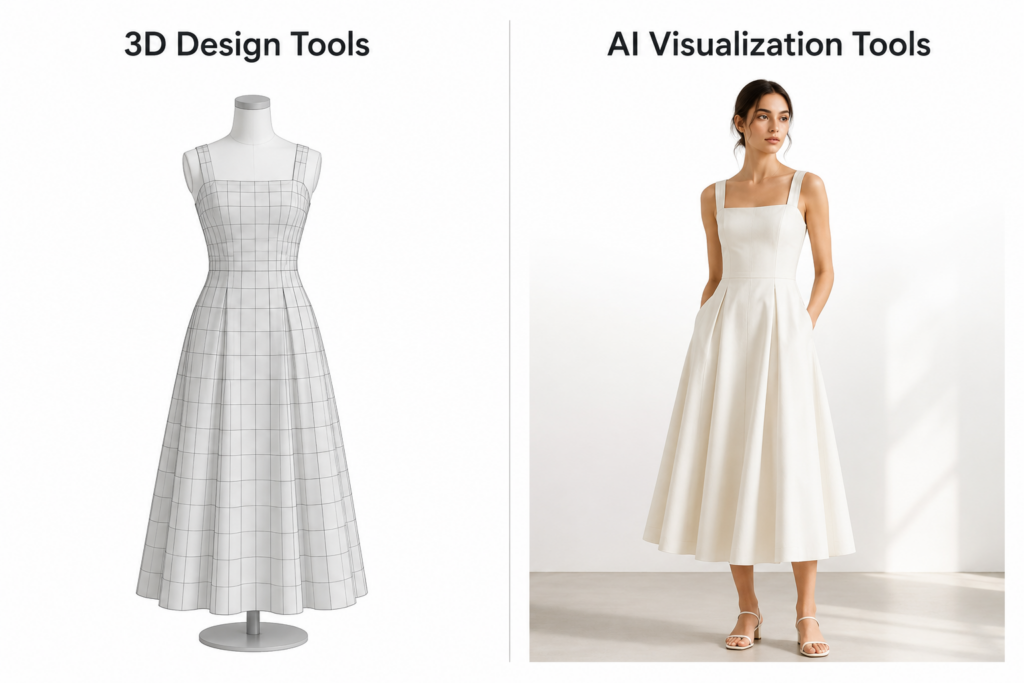
Category A — 3D Tools Built Around Garment Construction
Browzwear, Style3D, Marvelous Designer, Optitex, and Tukatech all fall into this category.
These tools turn 2D patterns into fully simulated 3D garments. Designers can test fit, fabric drape, and construction details before producing a physical sample. They work best for brands with complex production pipelines or teams trying to reduce sampling rounds and improve fit accuracy. The tradeoff is a learning curve similar to CLO 3D itself.
Category B — AI Fashion Visualization Tools
Fashion Diffusion AI, Raspberry AI, Refabric, FASHN AI, Botika, and Resleeve are examples of this approach.
This category focuses on fast image creation rather than 3D design. These tools generate realistic fashion visuals directly from sketches, flat lays, or even prompts. The final output looks closer to a real product photo than a technical render. You can pick up most AI tools without professional design knowledge.
Not sure which fits your workflow? We’ll break that down after comparing the tools.
How CLO 3D compares to Top 3D Design Alternatives
If your workflow depends on pattern validation, fit testing, or reducing physical samples, these are some of the closest alternatives to CLO 3D.
Unlike AI fashion tools, they focus on garment construction and simulation.
| Tool | Key Strength | Best For | Free Option | Starting Price | Learning Curve |
| CLO 3D | All-round garment simulation | Fashion brands & designers | 14-day trial | ~$50/mo | High |
| Browzwear | Fabric accuracy & enterprise collaboration | Large brands & manufacturers | Learner license (students only) | $75 /mo | High |
| Style3D | AI + 3D fashion design in one platform | Designers switching from CLO 3D | No | Custom | Medium |
| Marvelous Designer | Cloth simulation with keyframe animation and schematic rendering | 3D artists, gaming & CGI studios | 14-day trial | From $39/mo | Medium |
| Optitex | Pattern design, marker making & Adobe Illustrator integration | Technical designers & manufacturers | No | Custom | High |
| Tukatech | Pattern making to physical cutting, software and hardware | Manufacturers with full production pipeline | No | Custom | High |
Browzwear — Best for Enterprise & Fabric Accuracy
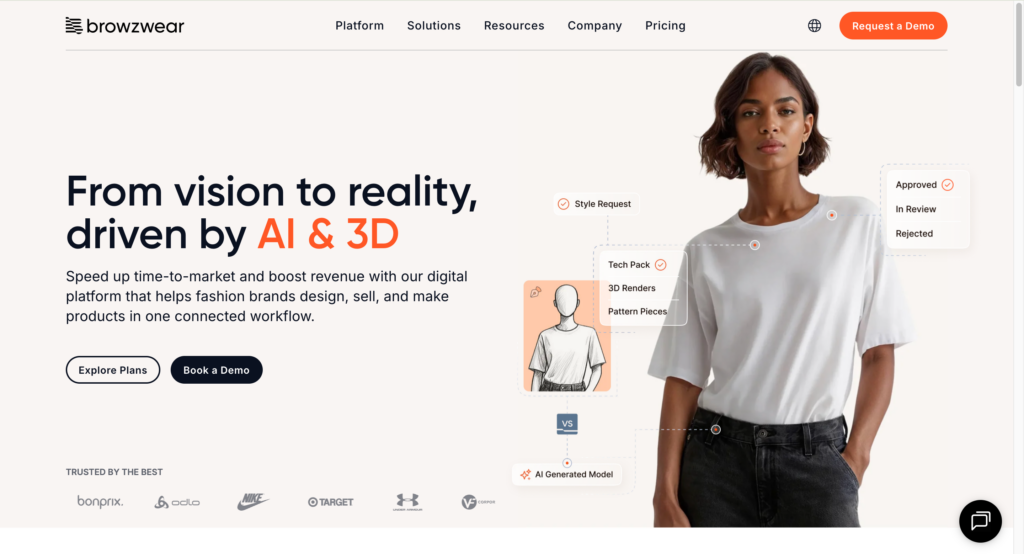
Browzwear is widely used by large apparel companies with complex production pipelines. Its biggest strength is fabric and fit accuracy across seasons.
Like CLO 3D, it still takes time to learn and requires structured workflow to get consistent results.
Best for: Large brands and manufacturers with dedicated 3D teams.
Style3D — Closest to the CLO 3D Experience
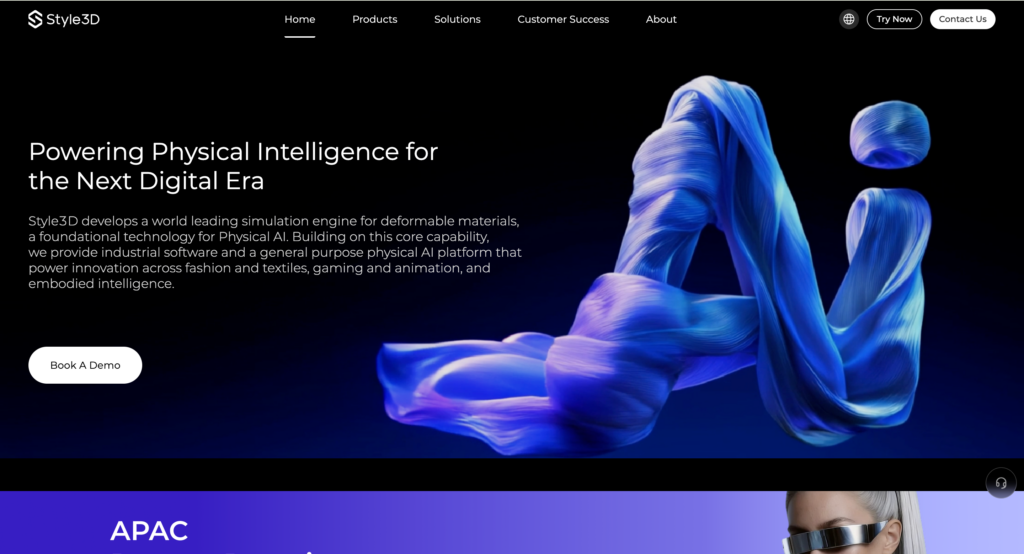
Style3D Studio is the product most comparable to CLO 3D, covering digital garment modeling and fabric simulation. In our testing, designers familiar with CLO 3D were able to complete their first garment simulation within a few hours — the interface is similar enough that the transition feels manageable.
Worth noting: Style3D has expanded beyond simulation. Style3D AI covers concept generation and marketing visuals, and Style3D Fabric adds physical fabric digitalization for manufacturers.
Best for: Designers who want CLO-style garment simulation at a lower price point.
Marvelous Designer — Strong for Visual Work
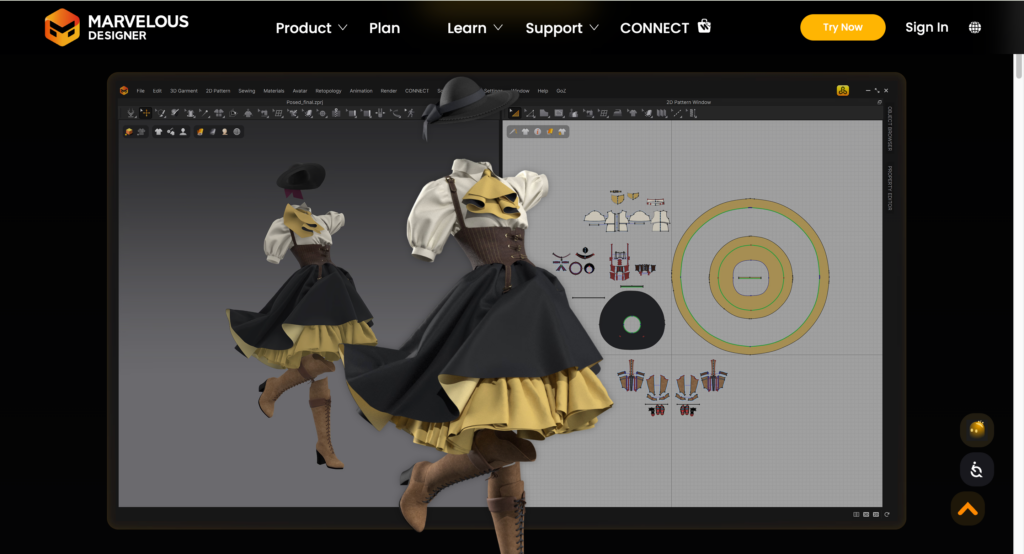
Marvelous Designer is popular in gaming, animation, and CGI for its cloth simulation in motion. Recent updates added keyframe animation and schematic rendering, making it more useful for visual storytelling and concept presentation. For fashion production, it remains stronger for visual output than technical apparel development.
Best for: 3D artists and animation teams
Optitex & Tukatech — Built Around Manufacturing
Both platforms cover pattern drafting, grading, and 3D visualization with a focus on production integration.
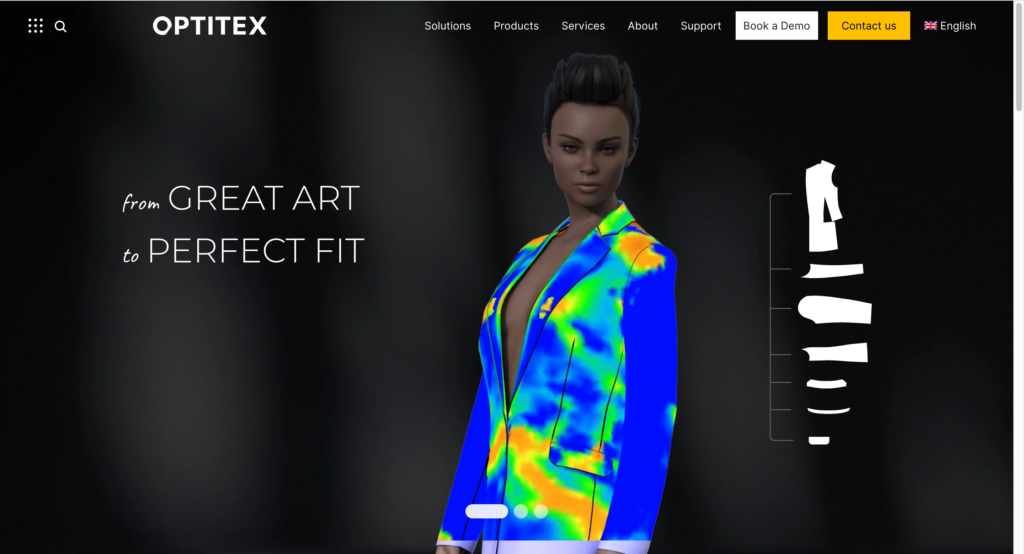
Optitex covers 2D/3D pattern design, grading, and marker making, with CutPlan for production-level cutting optimization. A notable differentiator is 3D Design for Illustrator — designers can visualize garments in 3D directly inside Adobe Illustrator without switching tools. O/Cloud adds cloud-based collaboration across teams.
Best for: Technical designers and manufacturers who work across pattern development and production planning.
Tukatech covers the full pre-production workflow: automatic pattern making (TUKA APM), grading, marker making, and fabric cutting — including hardware solutions for the cutting room. TUKA3D adds virtual fit and 3D design visualization for teams that need both.
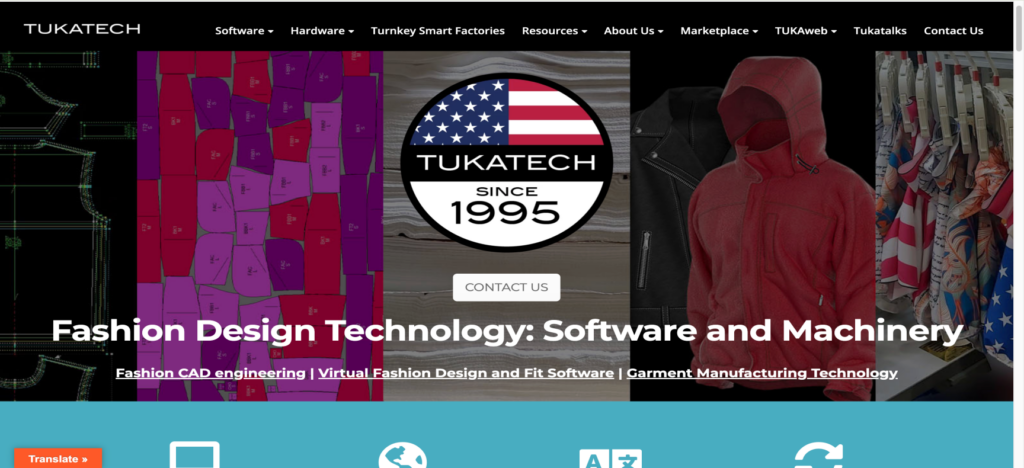
Best for: Manufacturers managing pattern-to-production workflows.
Like CLO 3D, these tools still rely on a traditional 3D workflow. Creating the garment is only part of the process — teams often still need rendering, styling, and post-production before assets are ready for ecommerce or marketing.
AI fashion tools take a very different approach.
How CLO 3D compares to Top AI Fashion Alternatives
Instead of building garments through simulation and pattern drafting, the AI tools below generate commercial-ready fashion visuals in minutes. None produce technical documentation or support production handoff.
| Tool | Sketch to render | On-Body try on | Model customization | Recolor | AI video | Learning curve | Free trial | Starting price |
| CLO 3D | No | No | No | No | No | High | Yes | $50/mo |
| Fashion Diffusion AI | Yes | Yes | Yes | Yes | Yes | Low | Yes | $12/mo |
| Raspberry AI | Yes | Yes | No | Yes | Yes | Medium | Yes | $49/mo |
| Refabric | Yes | Yes | No | Yes | No | Low | Yes | $38/mo |
| FASHN AI | No | Yes | Yes | No | Yes | Low | Yes | $19/mo |
| Botika | No | Yes | Yes | No | Yes | Low | Yes | $18/mo |
| Resleeve | Yes | Yes | Yes | Partial | No | Low | Yes | $19/mo |
Fashion Diffusion AI— Sketch to Commercial Visual
Fashion Diffusion AI is an AI fashion design and visual creation platform. Unlike the tools above, it covers the full workflow from concept through campaign content in one place — accepting text prompts, sketches, and garment photos as input.
We tested the sketch-to-render feature by inputting a hand-drawn dress sketch. The image was ready in about one minutes.
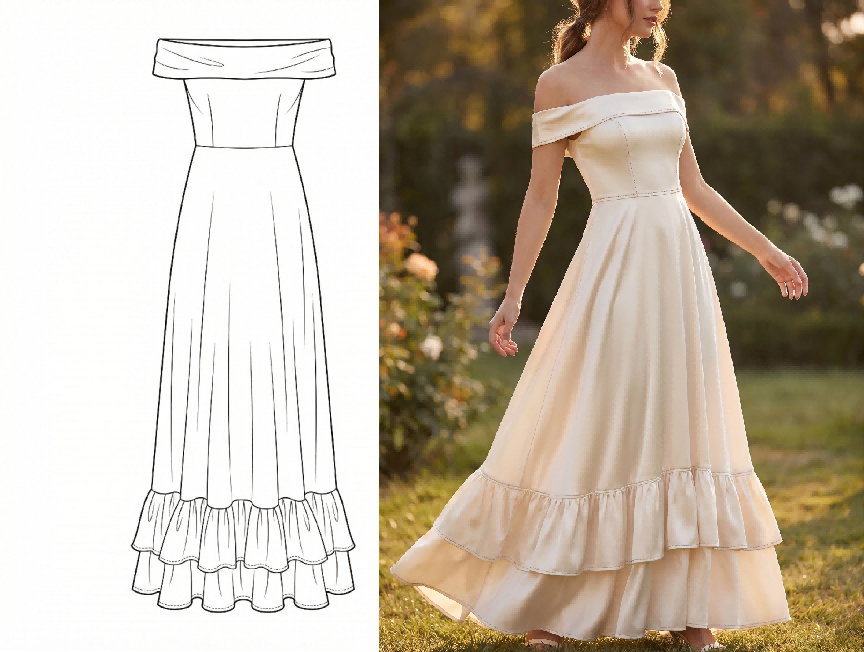
Best for: Independent designers and brands who want to go from sketch to commercial-ready visuals without multiple subscriptions or studio setups.
Key features:
Concept → Render: AI Outfit Generator, Text to Sketch, and Sketch to Render cover early ideation through photorealistic output
Design iteration: Swap fabrics, recolor, or edit specific areas with AI inpainting, without redesign from scratch.
On-model photography: Virtual Try-On and AI Model Generator with customizable ethnicity, pose, and styling
Pattern & textile: Seamless Pattern Generator and AI Pattern Extractor
Output: Flat Lay Generation, Change Background, Upscale, and AI Fashion Video
Pricing: From $12/month. Free trial available
Pros:
- End-to-end workflow from sketch to marketing visuals in a single platform
- Inputs include prompt, sketch, and garment photo — usable at any workflow stage
- Pattern and textile tools not available in other tools on this list
Cons:
- High-end editorial campaigns may still benefit from traditional photography
- Full feature set takes time to explore
Virtual try-on is one area where AI tools differ significantly. For a detailed side-by-side, see how Fashion Diffusion AI and Botika compare on on-model output.
Earlier in process — Raspberry AI / Refabric
Both tools focus on early-stage concept visualization — turning sketches or reference images into photorealistic garment visuals. The core use case is the same: replace early concept sample rounds.
Raspberry AI covers the full design-to-marketing workflow including on-body visualization, lifestyle photography, and motion content, with integrations for Browzwear, Adobe, and Coloro. Refabric is more focused on design exploration and fabric/texture visualization, with brand-trainable AI for consistent aesthetic output.
Best for: Design teams replacing early concept sample rounds and internal design reviews.
Key features:
· On-body virtual try on
· Raspberry: motion content + tool integrations (Browzwear, Adobe, Coloro)
· Refabric: brand-specific AI training
Pricing:
· Raspberry AI: Free trial available. Individual plan starts at $49/month.
· Refabric: Free trial available. Starts at $38/month.
Pros:
· Refabric has a free entry point
· Raspberry includes dedicated onboarding for all plans
Cons:
· Raspberry has no self-serve entry
· Output fidelity depends on input quality
Later in process — FASHN AI / Botika / Resleeve
All three take an existing garment image and generate on-model visuals. All require a real garment photo — none can generate from a sketch.
FASHN AI covers on-model visual creation — virtual try-on, product-to-model conversion, model swap, and consistent AI model creation. Short videos add motion to try-on outputs, and an API supports high-volume processing. In our testing, a standard flat-lay photo generated on-model variations in roughly one minute per image.
Botika is designed primarily for Shopify sellers doing high-volume catalog conversion, with no pose changer or custom model maker.
Resleeve operates as a managed production studio — brands submit a brief and receive finished stills, video, and channel-ready exports.
Best for: Ecommerce teams converting existing product photography to on-model imagery at scale.
Key features:
- FASHN AI: virtual try-on, product to model, model swap, consistent models, short videos
- Botika: Shopify integration, batch catalog processing
- Resleeve: fully managed production, video, channel-ready exports
Pricing:
- FASHN AI: from $19/month.
- Botika: from $18/month.
- Resleeve: from $19/month.
Pros:
- Offer a free trial.
- FASHN AI and Botika are self-serve solutions with quick turnaround.
- Resleeve provides full-service production for teams without in-house capacity.
Cons:
- Botika lacks pose control and custom model option
- Resleeve is not self-serve — not suited for quick one-off outputs
Which CLO 3D Alternative Is Right for You?
Find Your CLO 3D Alternative by your priority and use case.
| I am… | My priority is… | Best pick |
| Student / indie designer | Low cost, fast learning | Fashion Diffusion AI or Refabric |
| Freelance designer | Concept visualization, no sampling | Fashion Diffusion AI or Raspberry AI |
| Fashion brand, design team | Replace early sample rounds | Fashion Diffusion AI or Raspberry AI |
| E-commerce team | On-model imagery at scale | FASHN AI or Fashion Diffusion AI |
| Manufacturer / technical team | Fit validation, pattern grading | Browzwear or Style3D |
| Enterprise, full pipeline | 3D simulation + production handoff | Browzwear or Optitex |
| Need free 3D simulation | CLO-style workflow, no budget | Marvelous Designer free trial |
| Need free AI visual tool | Fast visuals, no budget | Fashion Diffusion AI or Refabric |
Our Recommendation: Test Before You Commit
The best way to evaluate any of these tools is to test them inside your own workflow — with your actual files and requirements.
Fashion Diffusion AI offers a free trial, so you can test your own sketches, generate fashion visuals, and evaluate whether the workflow fits your team before committing.
Whether you’re testing early concepts, refining garment visuals, or preparing ecommerce assets, hands-on testing gives you a clearer sense of which tool fits your workflow.
FAQ
For 3D simulation, there is currently no strong free alternative to CLO 3D. For AI fashion design tools, all tools on this list — Fashion Diffusion AI, Raspberry AI, Refabric, FASHN AI, Botika, and Resleeve — offer a free trial. Check each platform directly for current credit limits and restrictions.
Partially. AI fashion tools like Fashion Diffusion AI, FASHN AI, and Raspberry AI can replace CLO 3D’s visual output — generating on-model imagery from sketches or garment photos without 3D modeling. What they cannot replace is CLO 3D’s core function: pattern validation, fabric physics simulation, and fit grading for complex garment construction. If your goal is commercial visuals, AI tools are a credible alternative. If your goal is technical fit development, they are not.
For beginners interested in 3D simulation, Style3D has the most familiar interface for anyone coming from CLO 3D, with a shorter learning curve than CLO 3D. For beginners who want to skip 3D entirely, Fashion Diffusion AI and other tools require no technical background — most users produce their first garment visual within minutes of signing up.
Enterprise brands typically use Browzwear or Optitex for technical development and production integration. For visual content and ecommerce photography, mid-size and growing brands are increasingly replacing traditional photoshoots with AI visual tools — using platforms like Fashion Diffusion AI to go from sketch to campaign-ready imagery without the overhead of a full 3D pipeline or studio budget.
Yes. This is where AI alternatives have a clear advantage over CLO 3D. AI fashion design tools generate on-model product imagery directly from flat-lay or garment photos, without a photoshoot or 3D modeling. Fashion Diffusion AI supports flat lay generation, background swapping, and AI model customization — all common ecommerce content requirements.


